
Discount Code Help! 🏳️Updated 3 months ago
You’d think websites would make it super easy, right?? Argh. Thanks for bearing with us—we have little control over this kind of stuff!
On desktop:
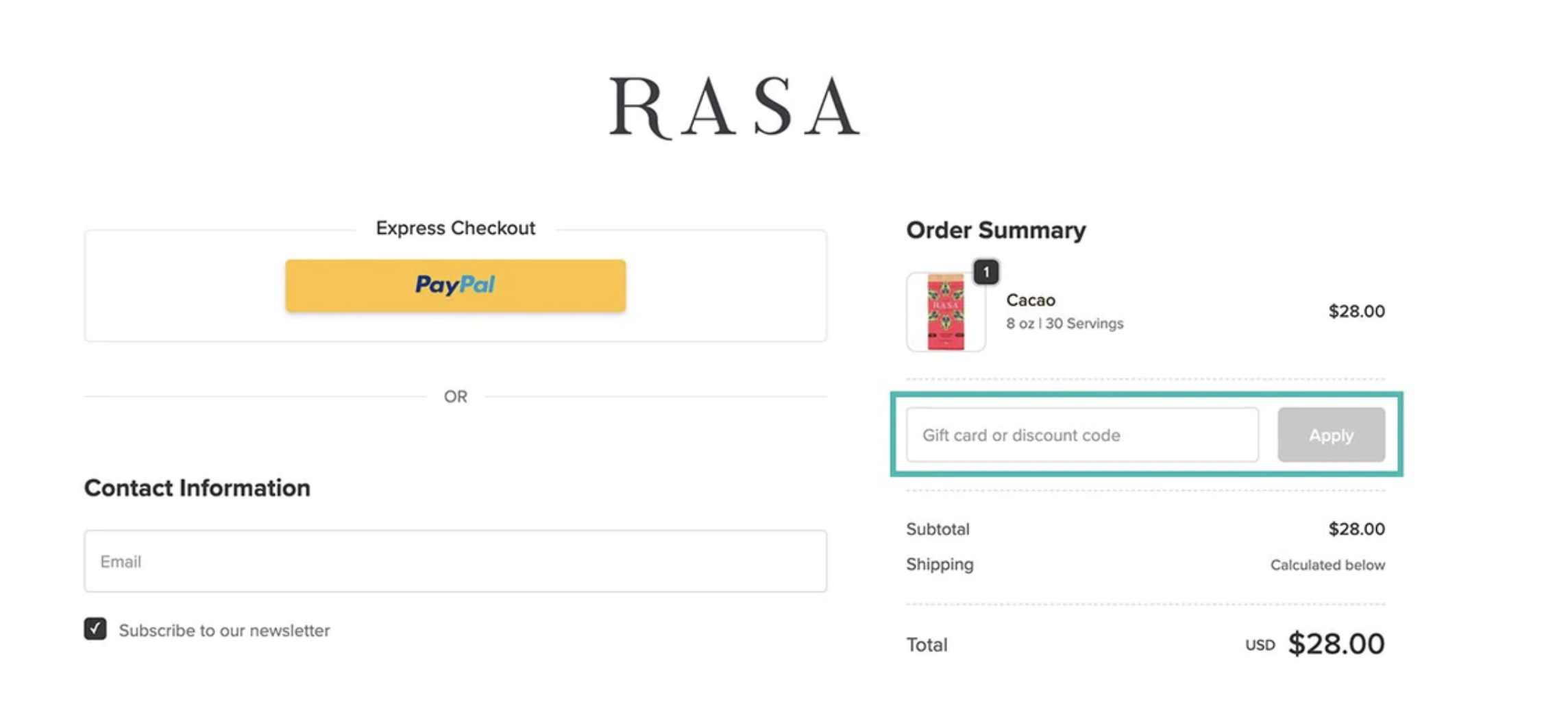
From your cart, hit “Check Out.” Once you’re on the checkout page, look to the right—you’ll see the magic box to enter your discount code and hit apply.
 On mobile: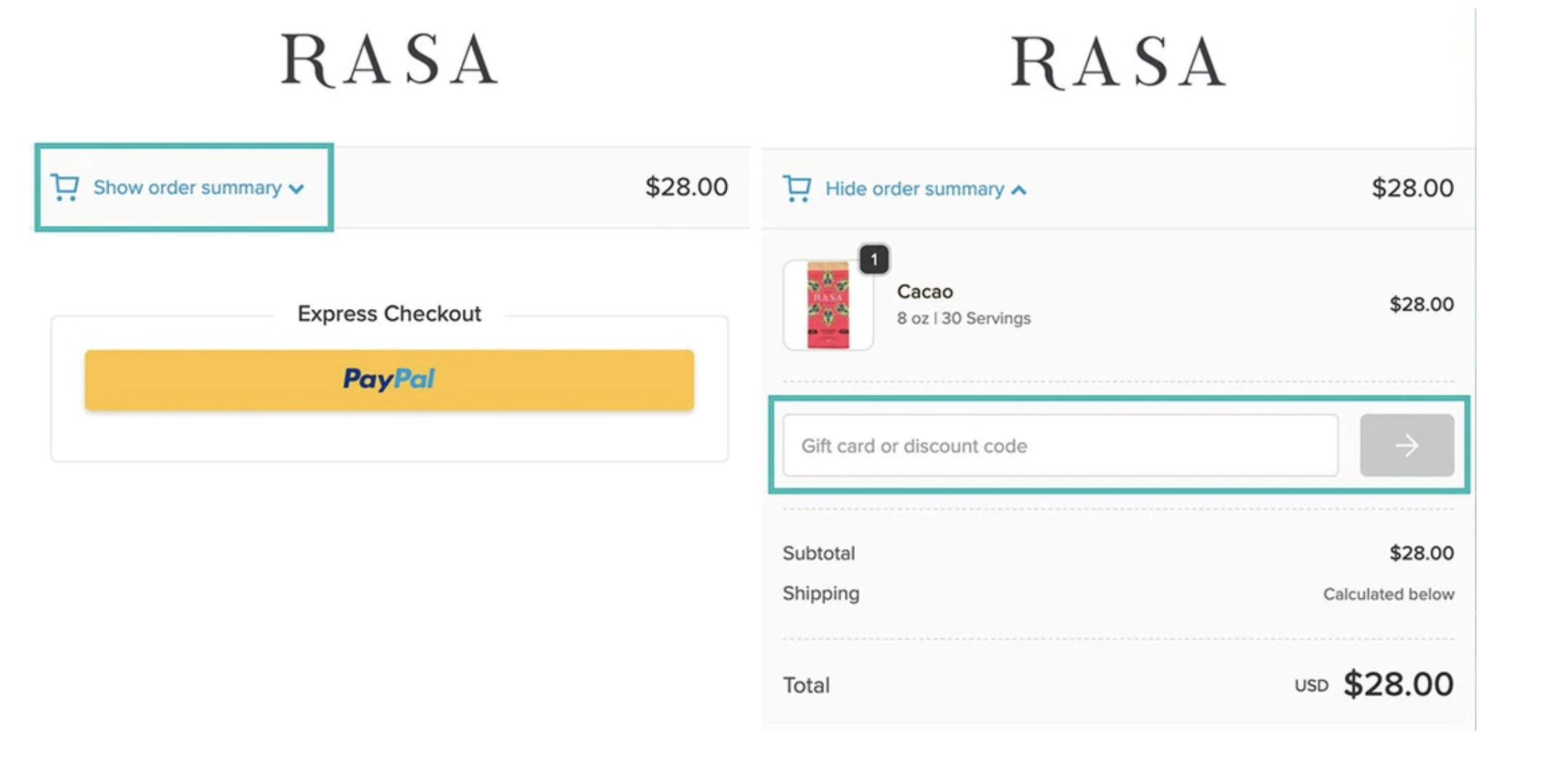
In your Subscription:
Click View Details, then the 3 dots for "More" choices and you'll find Apply Discount Codes. Gift card codes also go in here: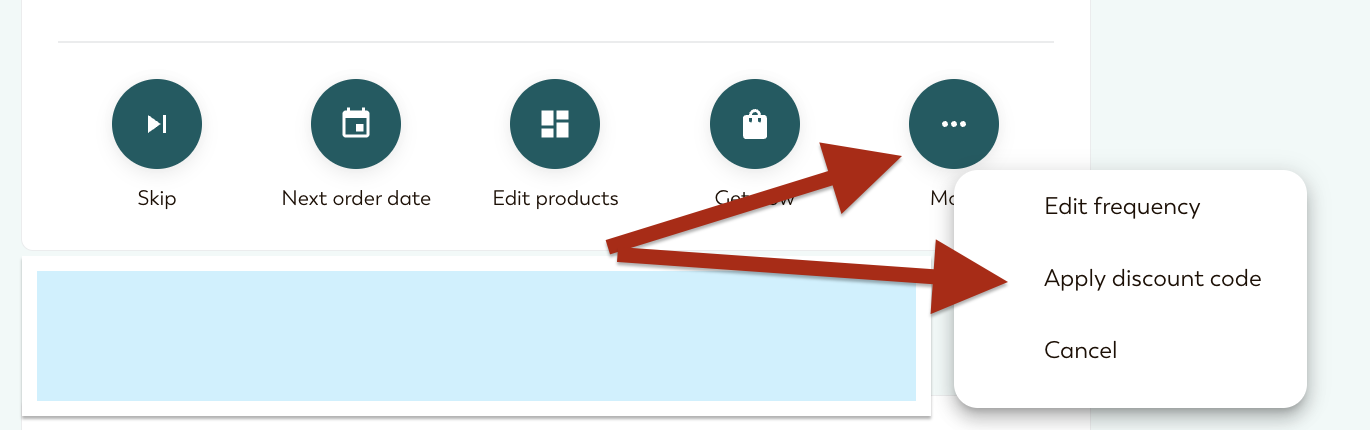
Still stuck? Reach out to us at [email protected] and we're happy to help.